


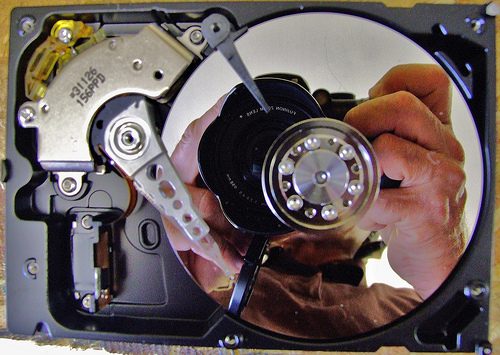
Today, a friend was reassembling his MacBook Pro after performing a hard drive upgrade, and he inadvertently put a very short screw down a very long shaft. How to get it out? After much shaking and poking, I remembered I had the base from an iSight camera, which is magnetic. We put that over the ...
How to back up your iPhoto images
If you want to back up just your iPhoto images (your library) to an external source, such as a hard drive or CD/DVD, you need to know where to find them. Here's what to do. 1. In the Dock, click on the Finder (the blue face). 2. A Finder window pops up. In the window, on the left-hand side under ...

Is your Time Machine really backing up your Mac?
We've seen more than a few horror stories of people whose computer drives failed, and then they found out their Time Machine backups hadn't been backing up in months! Time Machine is not infallible, it doesn't work correctly 100% of the time. To prevent this from happening to you, check your ...

3 ideas for how to create strong passwords
We all know how important it is to choose a password that's easy for us to remember, but difficult for others to guess. Ideally it should have a combination of letters and numbers, uppercase and lowercase. Here are a few ideas for creating secure passwords. 1. Choose a phrase or sentence that ...
How to Back Up your Entourage Email on your Mac
Are you using Entourage for email, and Time Machine for backup? Entourage stores all email in one giant database, which gets bigger every time you get or send an email. And having a big database means frequent database corruption. Time Machine backs up everything new once an hour, which means ...

Organizing and Syncing Files on your Mac Computers with SugarSync
What's the easiest way to set up your Mac for SugarSync? SugarSync synchronizes files across multiple computers. So if you have a computer at work, but you want to do some work on files at home, you can sync your files from your office to your home computer. (SugarSync works for the PC and the ...